



Some workspace fields store separate values for English, Chinese, and Arabic. An ordinary single-language edit is merged into that map, so it keeps the other stored languages. The Proposal preview warns when the actual saved result would remove locale-specific text, such as an explicit clear of the whole field.
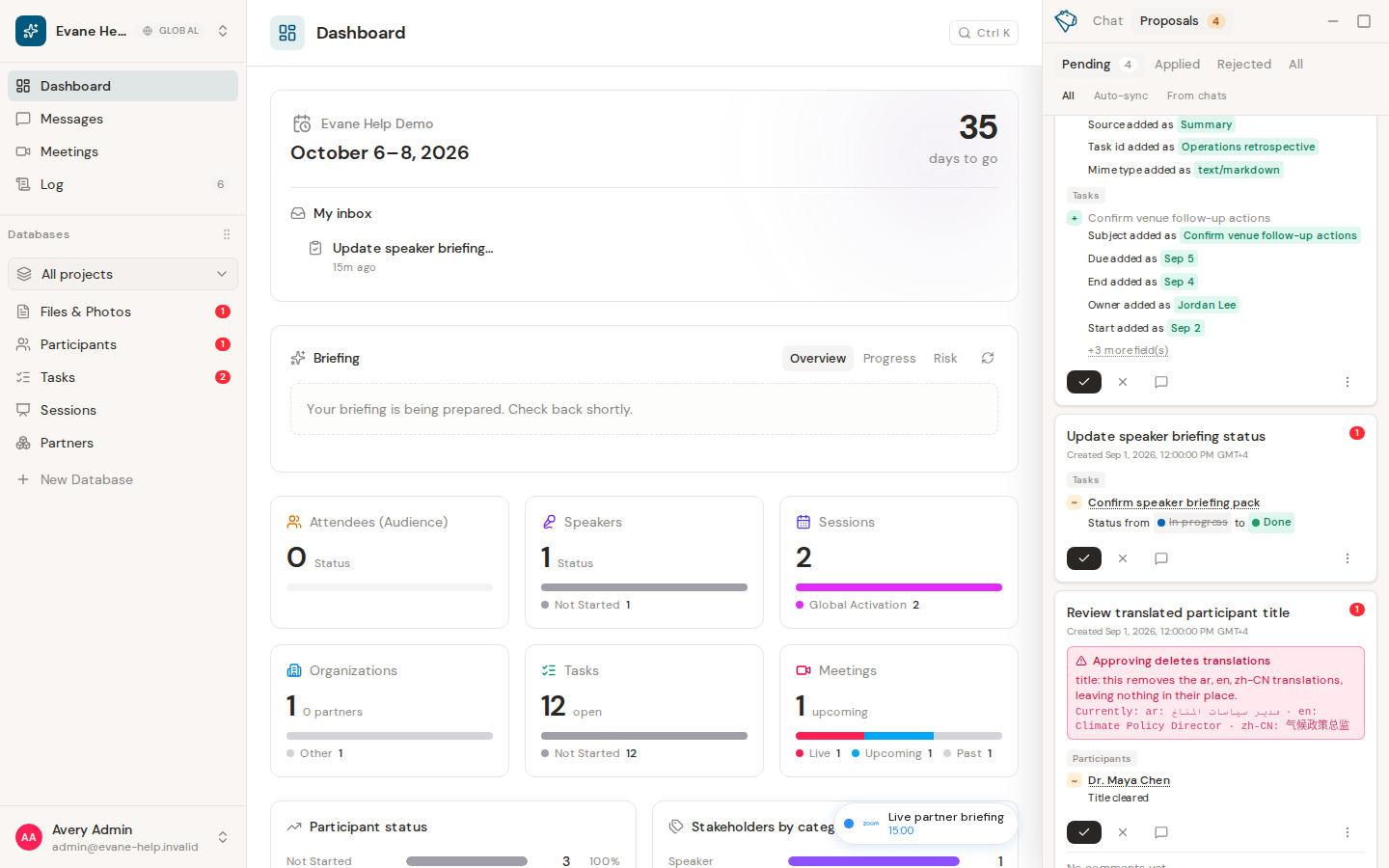
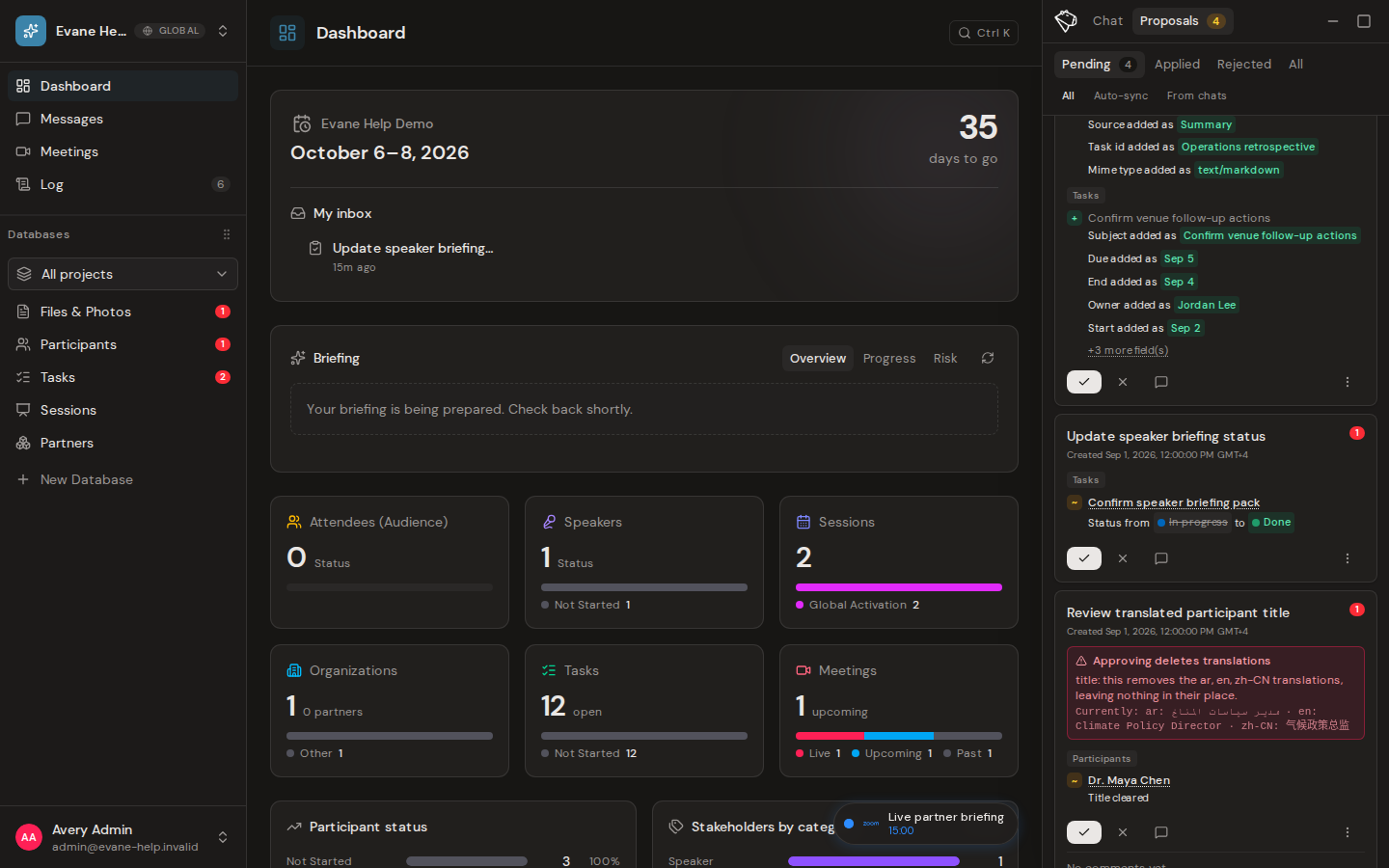
Read the notice before approval
The Proposal preview shows a translation impact notice when a proposed change affects existing translated data. A normal edit can show which locale changes and which ones remain unchanged. A destructive warning appears only when the saved result would actually drop one or more locales; it names the affected locales and shows the current translated values. Expand the target details when a Proposal changes more than one record.
The warning does not block approval. It explains the consequence so an eligible reviewer can reject the Proposal, revise the source request, or accept the loss intentionally. An Editor can decide an AI-authored content change within the Editor write tier; protected targets still require an Owner or Admin.
No notice means the current diff found no translated-field impact that the preview renders; it does not promise that AI translated the new value. After approval, open the affected record in each required language and verify the saved text.

