



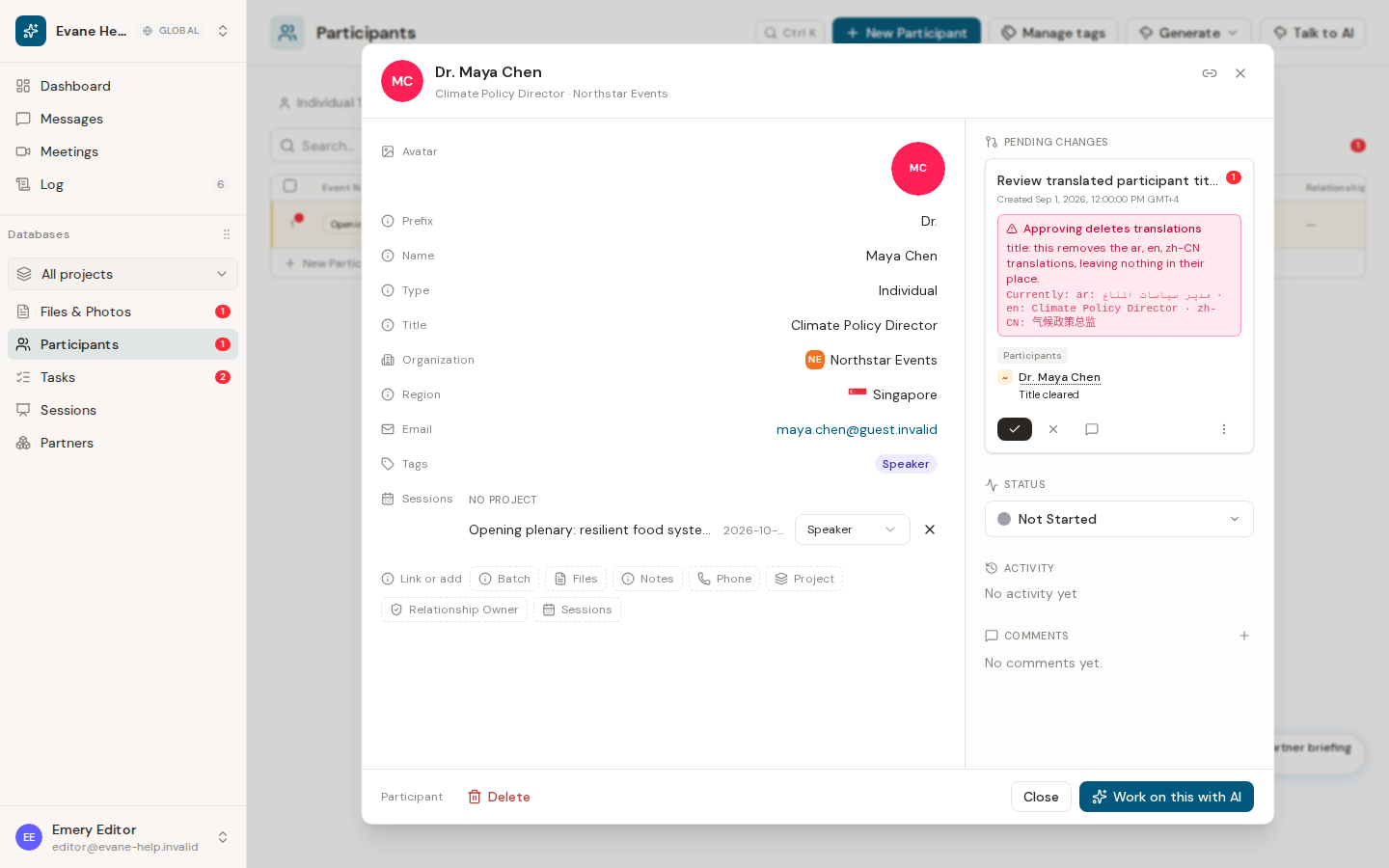
A Participant can be linked to multiple Sessions, with a separate role on every link. Changing Speaker to Moderator updates that relationship without changing the person’s profile.
Link an existing record
- Open a Session detail or Participant detail dialog.
- In Link or add, choose Participants from a Session or Sessions from a Participant.
- Search for and select an unlinked record.
- The new link defaults to Speaker. Use its role selector to choose Speaker, Moderator, Panelist, Audience, or Organizer.
The same link is visible from both detail dialogs. The role belongs to that Session-Participant link, so one person can be a Speaker in one Session and a Moderator in another.
Create a person from a Session
The Participant picker in a Session includes a + action. It opens the Individual-only New Participant form, shows the current Session, and lets you choose a Session role before saving. After the Participant receives its final ID, Evane creates the link automatically.
Remove or update a link
Members with write access can change the role inline or remove the link. Viewers see the role as a read-only badge. The Evane service validates that the Session and Participant belong to the same workspace and rejects duplicate pairs with a conflict response.

