



My inbox collects work that needs attention while preserving each item’s source. Pending Proposals remain visible until they are approved or rejected; opening one takes you to its review context.
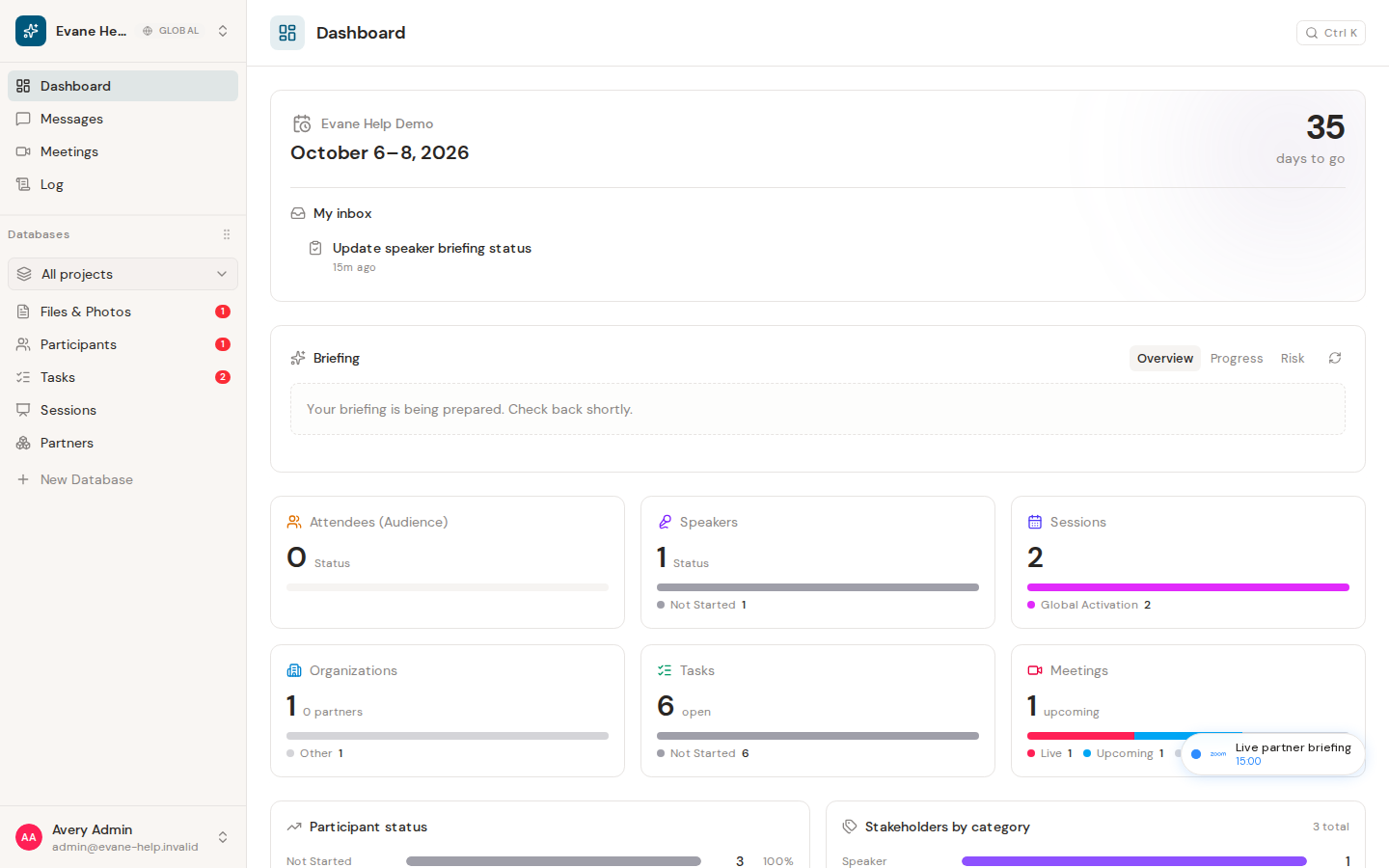
What My inbox shows
My inbox is the personal cross-workspace queue on the Dashboard. It includes notifications visible to you and pending Proposal approval items relevant to your membership. Completed or rejected Proposals are not returned as pending approval items.
Open an inbox item
- Open Dashboard.
- Find My inbox in the event overview.
- Select an item. Evane first marks an unread notification as read.
- For a Pending Proposal, Evane opens the AI assistant at Proposals > Pending and targets that Proposal.
- For a record in the active workspace, Evane opens the supported detail dialog.
- For an item in another workspace, Evane switches to that workspace first.
The dashboard shows the first items returned by the cross-project inbox and indicates when more items exist.
The unread state updates immediately and persists through the Evane service. Notification events received while the application is open refresh the inbox without a page reload.
If an item cannot open
- The related object may have been deleted or your access may have changed.
- A cross-workspace item may switch the workspace without opening the detail immediately; open the item again after the workspace finishes loading if necessary.
- If marking the item read fails, Evane restores the unread state and displays an error.

