



The User section keeps your personal profile preferences, verified phone, email signature, interface language, and theme together. Evane keeps these personal choices separate from shared project presentation and content-language settings.
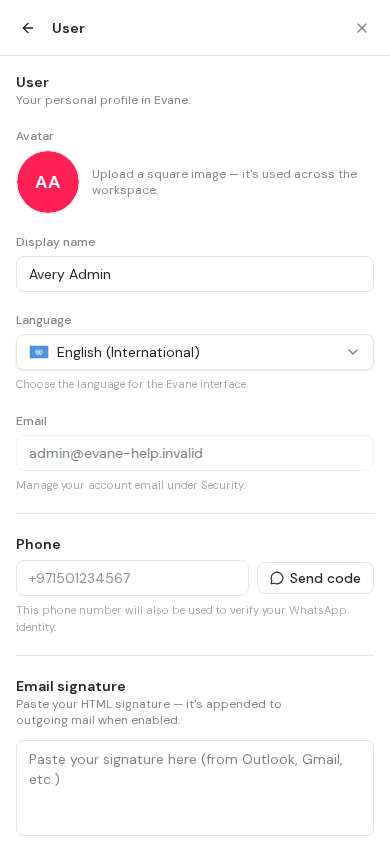
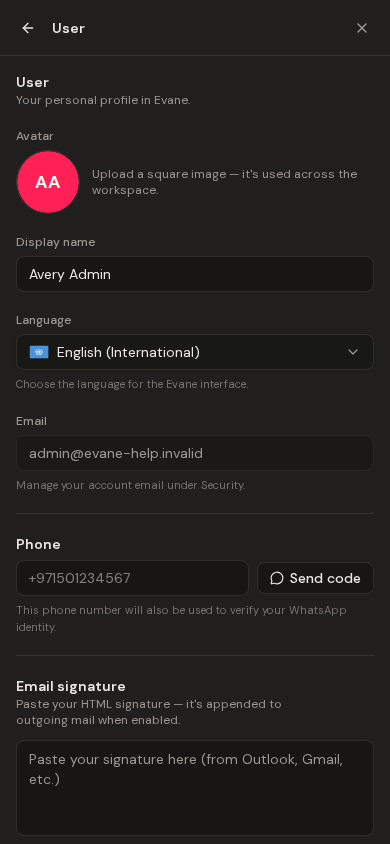
Choose your personal interface language
In the User group of Settings, select English, Simplified Chinese, or Arabic. Arabic also switches supported navigation, forms, tables, and dialogs to right-to-left. Workspace values remain in the language in which they were saved unless that field supports translations.
The Light or Dark control is also personal. Its saved choice overrides the operating-system color scheme wherever the public site, Help Center, sign-in flow, and product support that theme.
Use Settings on a phone
On a small screen, Settings uses two levels. Opening Settings normally shows the section menu first; choosing a section opens its panel, and the back button returns to the menu. A deep link to a specific section opens that panel directly and still provides the back button.
Manage your phone and email signature
The User panel also contains your verified phone and email signature. Enter the phone in international format beginning with +, request a code, and enter the code delivered through WhatsApp. The verified number becomes both the profile phone and the WhatsApp binding. Change starts the verification flow for a replacement number; Unbind removes both uses after confirmation. Delivery requires the deployment's WhatsApp provider to be configured.
For an email signature, paste formatted HTML from Outlook or Gmail into the Signature editor, preview it, enable it, and save. Evane sanitizes saved HTML and resolves supported pasted images before the signature is used for sent mail. Delete removes the saved signature for your account in the current workspace.
Configure project content languages and branding
In the project group, Language controls the project's content languages and primary language. These settings determine which localized inputs are offered and which translation is preferred when a field supports multiple languages. Only workspace Owners and Admins can change them; other members see them read-only.
The project Theme controls the shared brand color and background. It is also editable only by Owners and Admins and affects members viewing that workspace. It is different from the personal Light or Dark preference.
If the page mixes languages after switching, wait for the current view to rerender. A missing translation falls back according to the locale system and should be reported with the page and label involved.

