



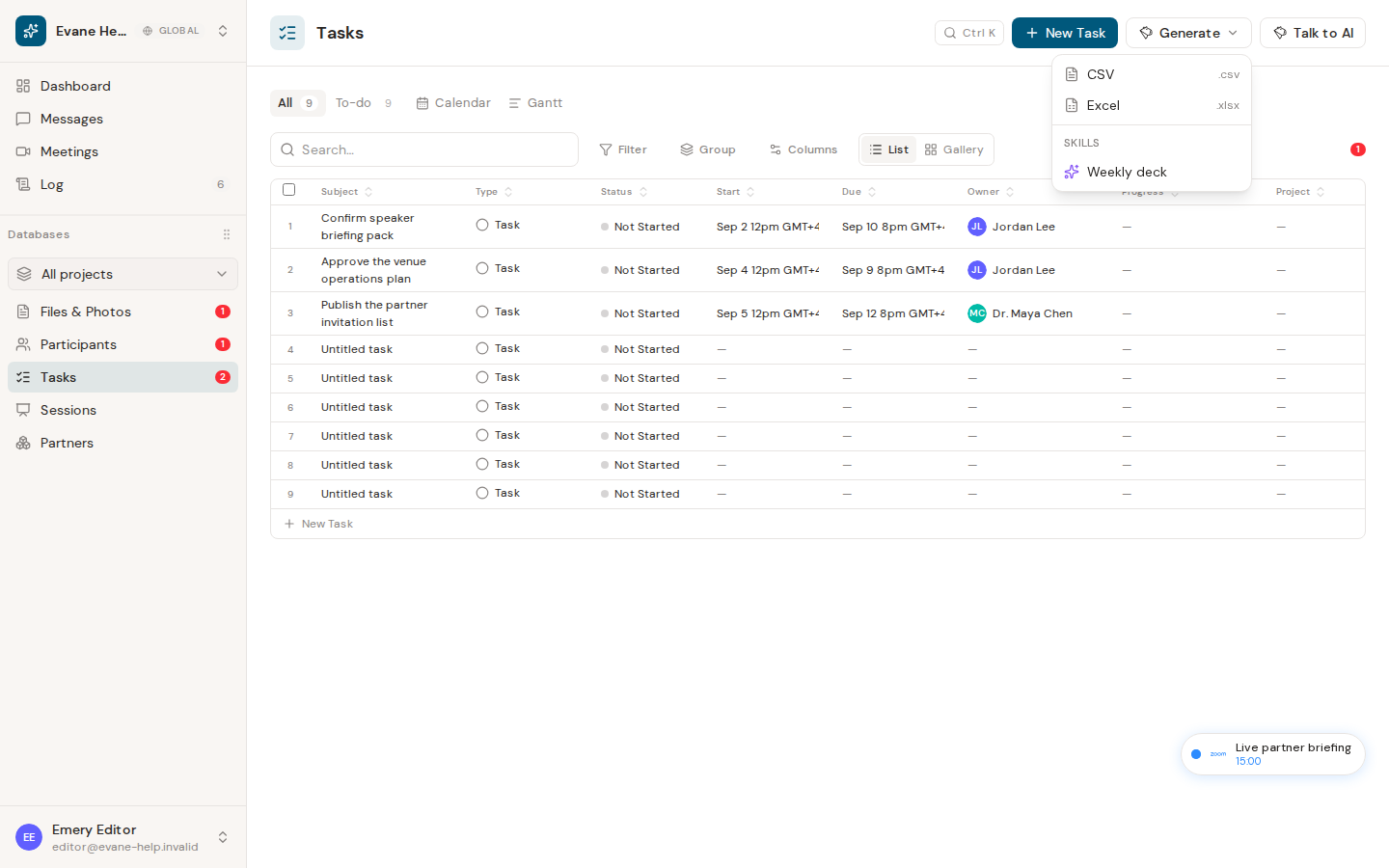
The PMO export is a document workflow, not a table download. Tasks' Generate menu lists every Skill your workspace has hooked to Tasks; pick the one that builds this deck, confirm the run, and Evane opens a chat that runs it against your live Tasks and stores the returned file in Files.
Check task access
The Skill and its own PowerPoint template attachment must both be available to the workspace. The run consumes the applicable AI quota and requires permission to create a workspace file.
Generate the deck
- Open Tasks and select Generate.
- Choose the deck Skill from the list under Skills.
- Confirm the run.
- Keep the AI pane open, or come back to the conversation later while it runs.
- Use the generated file link to download the
.pptx.
The Skill reads your current Task records with code — owners, due dates, status, position, and progress notes — fills its own attached template, and files the result. Evane never types slide content out as prose and presents that as a finished deck: only a real, downloadable file counts as a generated one. The deck appears in the workspace Files data once the file-created event is synchronized.
If generation fails
A missing or unusable template attachment stops the run and the chat says so; Evane must not claim that a deck exists when it does not. Quota, AI-provider, or file-storage errors also stop generation. Fix the reported dependency, then run the Skill again.

