



Each Tasks tab answers a different planning question: All for plain Task records, To-do for active owner-grouped work, Calendar for dated planning records, and Gantt for schedule and hierarchy.
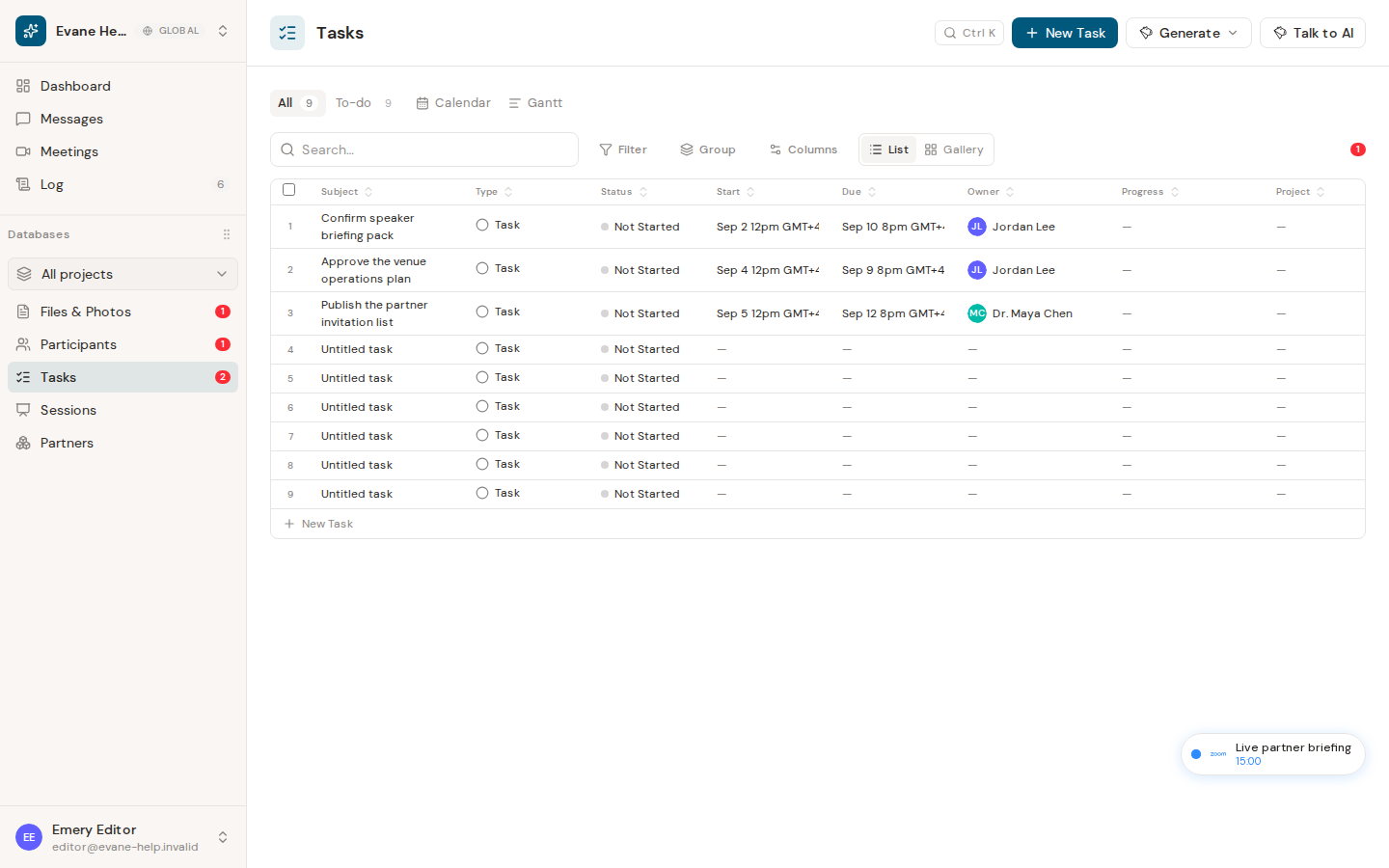
Available task tabs
- All shows plain Task records in the editable table. Milestone, Objective, and system Appointment records are excluded.
- To-do shows non-terminal plain Tasks, grouped by Stakeholder, with Stakeholder, To-do Item, Deadline, Status, and Progress columns. Unowned Tasks appear in the All owner group.
- Calendar places visible records on their dates.
- Gantt displays dated planning records as a hierarchy and timeline.
The selected tab is stored in the page URL, so a Tasks link can reopen the same view.
Use a view
- Open Tasks.
- Select the required tab.
- Select a row or calendar item to open its detail dialog.
- In All or To-do, use the local table search, filter, sort, group, columns, or export controls as needed.
All workspace members can inspect the views. Editing controls remain hidden or read-only for Viewer roles.
Empty or unexpected results
The visible Status comes from the status chain, while To-do also excludes legacy terminal states done and closed. Milestones and Objectives are absent from All and To-do by design but can appear in Calendar or Gantt. Calendar needs a date to place a record; undated planning records appear in Gantt's Unscheduled area.

