



Meeting automation stores the initial generated Summary as an Evane-managed Meeting file. Proposed changes to that Summary and follow-up Tasks extracted from the transcript then follow the workspace's AI approval policy.
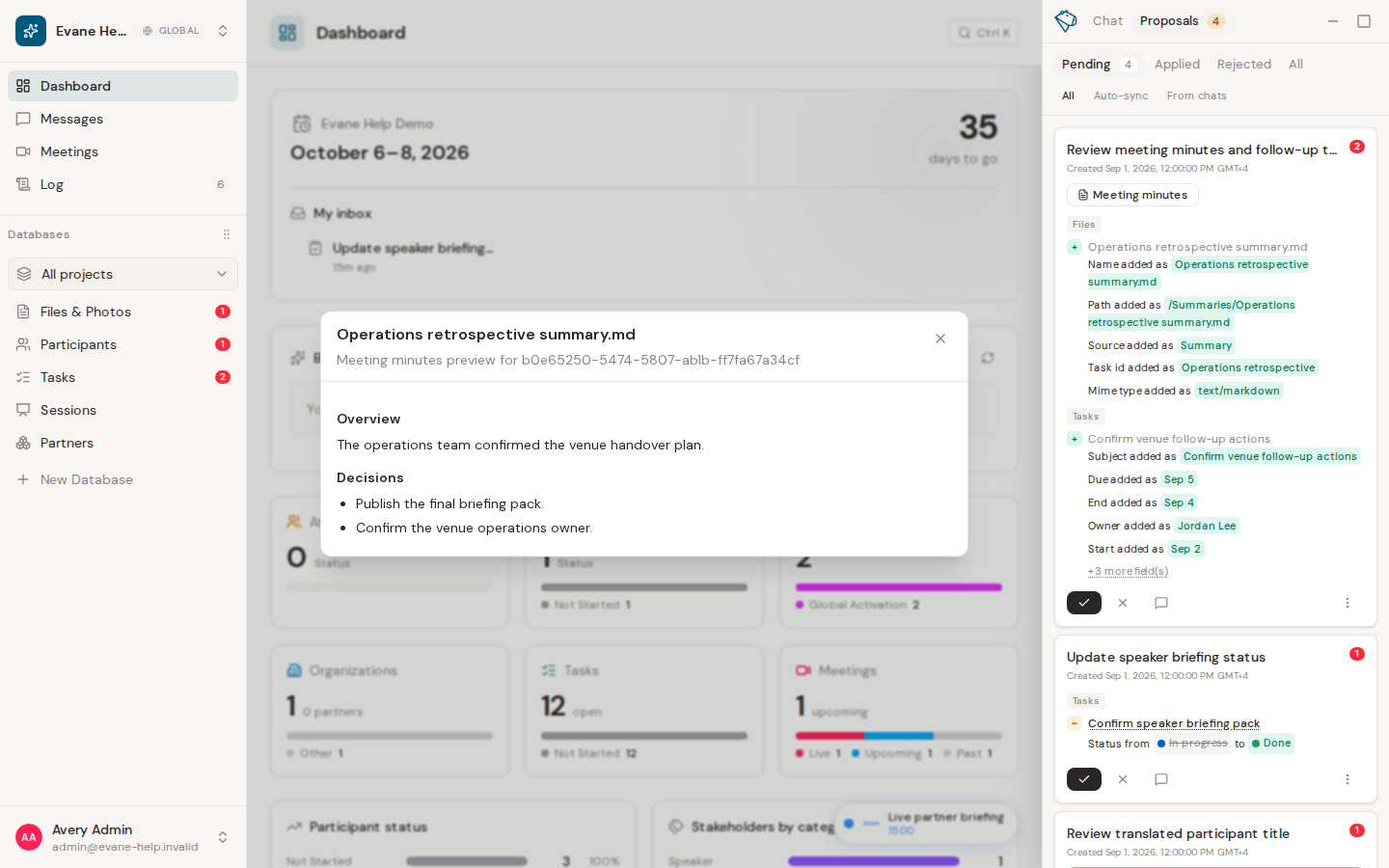
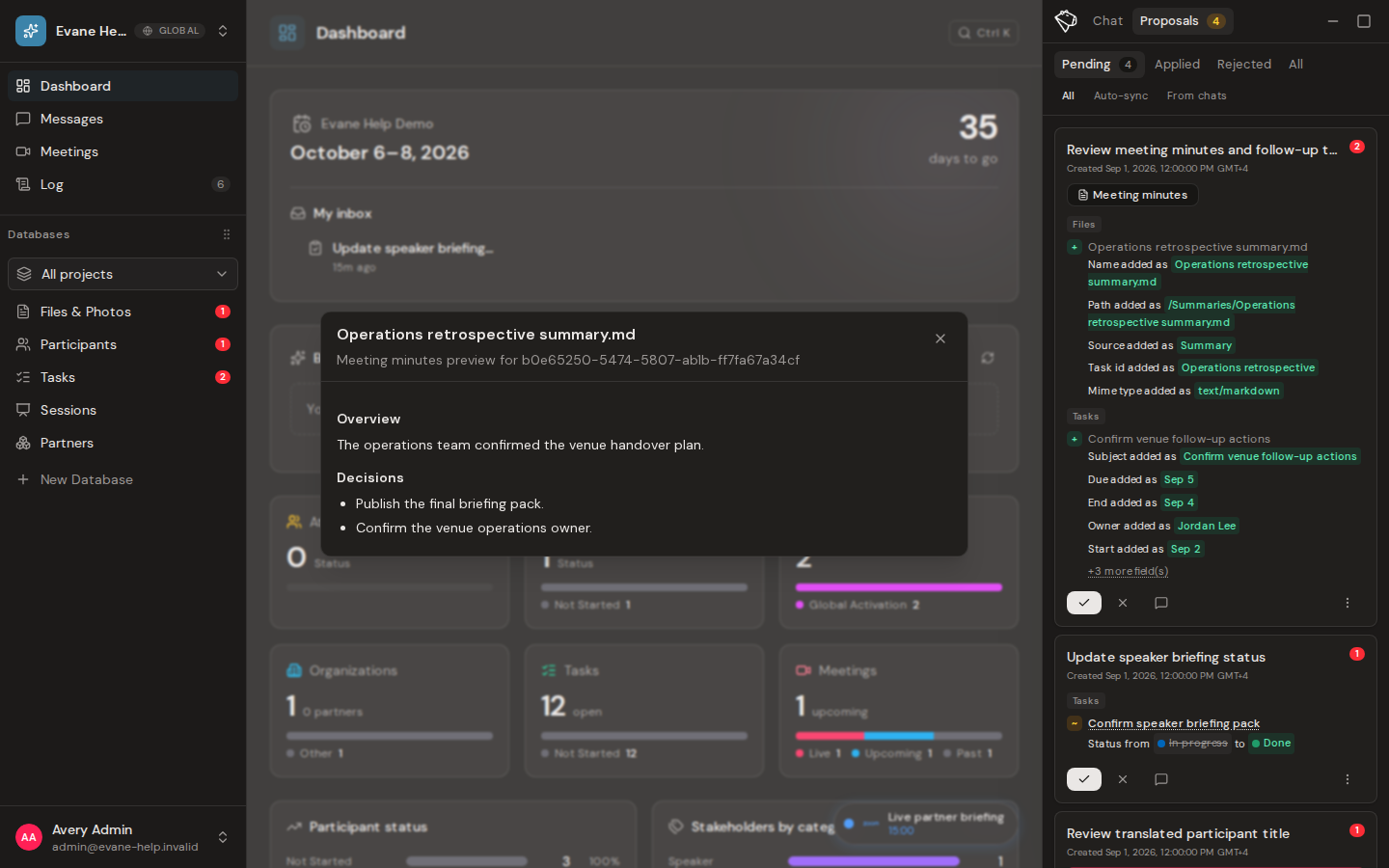
Review a proposed Summary change
- Open AI Assistant > Proposals > Pending.
- Open the Summary-change Proposal and use its preview to compare the proposed version with the current minutes.
- Approve to replace the current Summary, or reject to keep the current version unchanged.
The initial generated or pasted Summary does not wait for this approval step. A Proposal appears here only when a person or AI workflow proposes a revision and the workspace policy requires review.
Review generated Tasks
After a Summary file exists, Evane can extract follow-up work from the transcript. Under the default manual policy, the action items from one meeting are grouped into one pending Proposal, with each suggested Task shown as a separate target that can be previewed. An unusually large result is split into clearly numbered Proposals when it exceeds the per-Proposal target limit.
Approving the Proposal applies its eligible Task targets together and links each created Task to the Meeting Summary file. Rejecting it leaves the Tasks list unchanged. If the server refuses one of the Task targets when the batch is filed, Evane splits that target onto its own already-rejected Proposal so the remaining targets stay approvable together. Ask every time and Ask before important changes both queue this substantive Task creation; only Don't ask can create the Tasks without a pending Proposal.

