



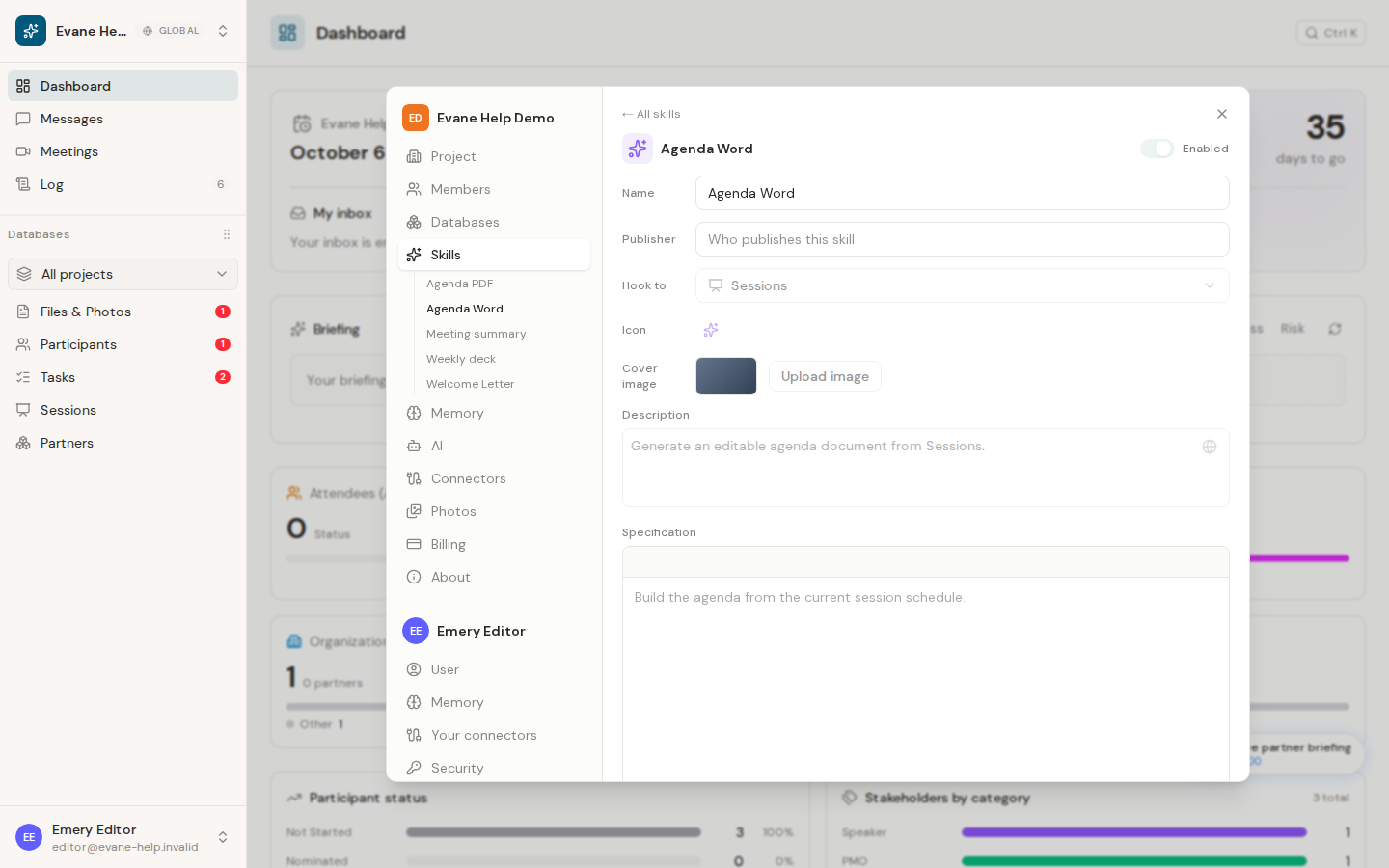
Many workspaces keep one or two Skills hooked to Sessions that build a branded agenda: typically one that produces an editable Word document, and sometimes a second that renders the same agenda to PDF. Both work the same way: the Skill fills its own attached template with your live Session data using code, rather than describing the agenda in prose.
Generate an agenda
- Review Session names, start and end times, tags, descriptions, locations, and linked Participant roles.
- From Sessions, open Generate.
- Choose the agenda Skill you want.
- Evane opens a chat and starts the Skill.
- When generation finishes, use the returned File link, or find the result in Files.
Template requirements
The Skill needs its own template attached, usually a .docx the workspace has branded, and fills a copy of it rather than editing the original. A Skill that also renders PDF needs that same Word template attached; it converts the filled document rather than starting from a separate PDF file.
If Evane reports that the template is unavailable, attach it to the Skill in Settings > Skills and retry. If a PDF result looks incomplete, review the Skill's own reported reasons rather than treating it as complete.
Improve the generated agenda
Correct the source Session and Participant records, then generate again. The Skill reads live project data each time it runs; editing the output file does not update those records.

