



First identify the file source. Files synchronized from SharePoint, Google Drive, or Lark stay source-owned, while uploaded and generated files use Evane-managed storage. Their open and delete rules are intentionally different.
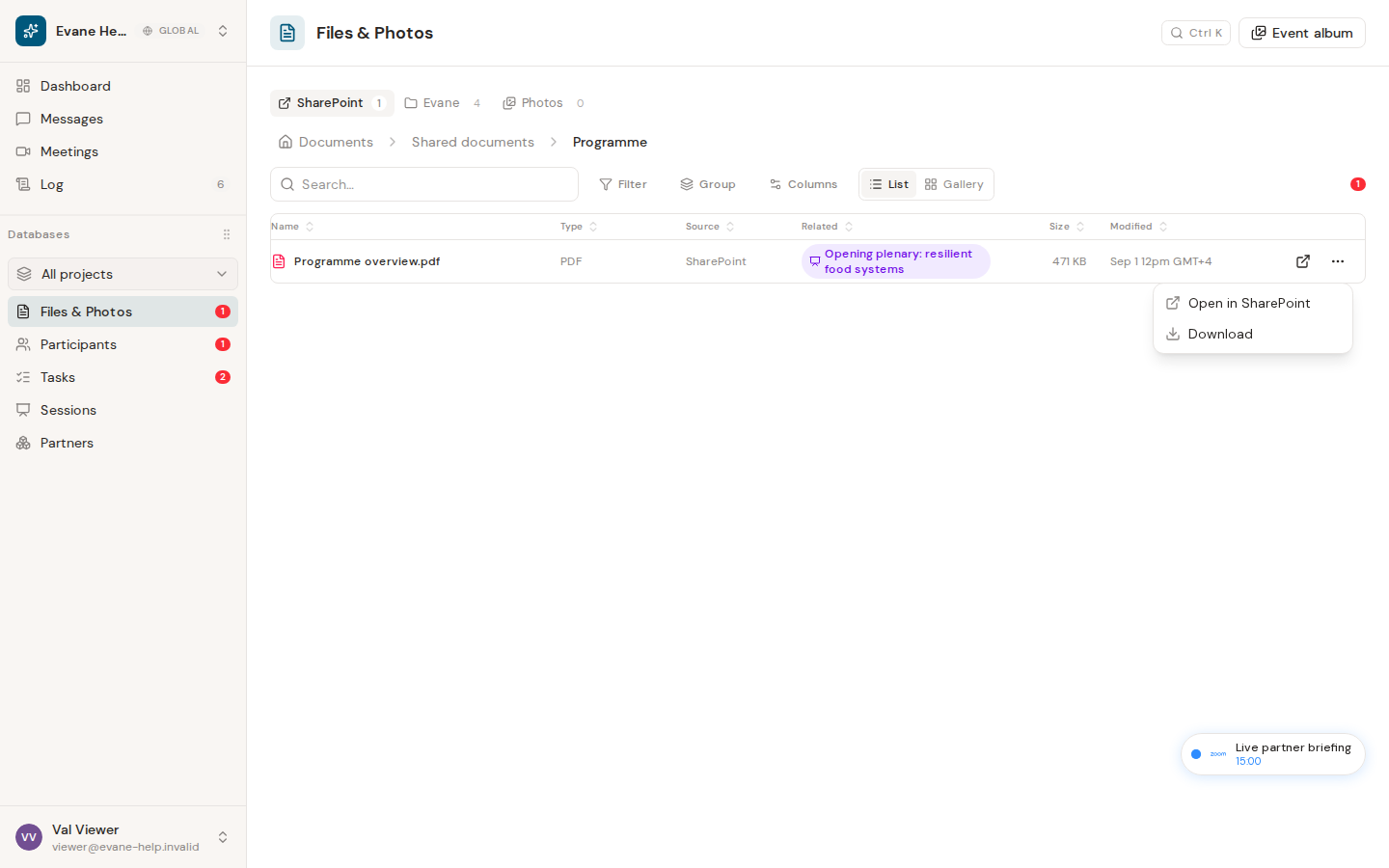
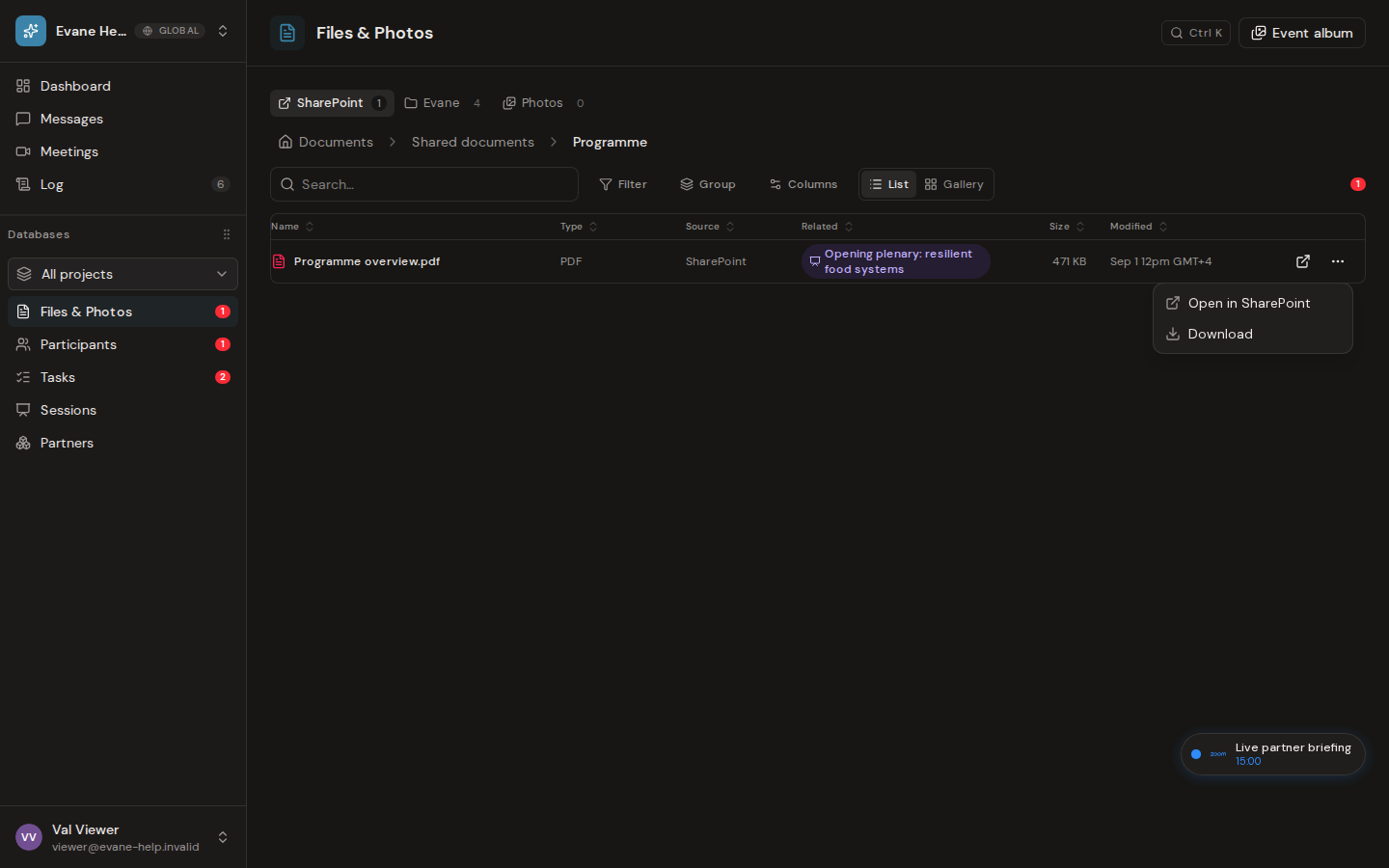
Connected-provider files
- Open uses the available provider URL, and SharePoint, Google Drive, or Lark decides whether the current user may view it.
- A 403 usually means the provider grant or item permission is missing.
- Deleting a link from an entity removes only the Evane association. It does not delete the source item.
- Connected-provider rows cannot be managed as if Evane owns their bytes.
Uploaded or generated files
- Supported text and document formats can open in Evane preview; other formats download.
- A broken download can indicate a missing Blob object or a File record whose storage metadata is incomplete.
- Deleting the File requires the appropriate workspace permission and moves it to Trash. Its bytes and links remain recoverable for 30 days; an Owner or Admin can purge it permanently.
What to try
Refresh Files to confirm the row still exists, check the source label, then retry the source-appropriate action. If a file was deleted accidentally, an Owner or Admin can open Log > Trash and restore it before the retention period expires. If preview fails but download works, keep the file and report the MIME type. If both fail, provide the File name and ID to an Admin without sharing its private content.

